
I built Two-LinkForceLab as a small Python project around a simple engineering question: if a two-link planar mechanism rotates through a full cycle, how does the axial force in link AB change as geometry, mass distribution, motion inputs, and gravity change?
The idea was not just to solve one case once. I wanted a compact workflow that could take several geometry sets and several motion sets, run all combinations automatically, and return results in a form that is easy to inspect and compare. Instead of a single answer, the project produces a small load atlas for the mechanism.
What the project is trying to do
The model reads geometry scenarios and motion scenarios from JSON, simulates one full rotation for each combination, computes the signed axial force in AB, and then highlights the most important outcomes. In the current setup that means 25 combinations from 5 geometry cases and 5 motion cases.
The implementation also makes the assumptions explicit: planar rigid links, lumped masses at points B and C, and prescribed constant angular velocities for both links. That makes the tool simple enough to inspect end to end, while still being rich enough to show how a small modeling decision changes the internal force picture.
For each run, the project generates individual force-vs-angle plots, a combined comparison grid, a CSV summary of peak tension and compression, a short engineering insight report, and GIF animations for the most critical cases.
What gravity changes, and what the GIFs actually show
One of the most useful additions was a global gravity switch in scenarios.json. That made it possible to run the same scenario set with gravity ON and OFF and compare the outputs directly.
In the model, gravity acts in the negative y direction as a downward force vector:
F_g = [0, -m g]That part is straightforward. The important nuance is that, in this project, the mechanism kinematics are prescribed by the angular velocities. So when gravity is toggled on or off, the mechanism follows the same geometric path. That is why the motion in the GIFs can look almost identical.
What does change is the required force balance, and therefore the computed axial force in link AB. So the GIF trajectories may look similar, but the force overlay and the reported extreme values are different. In other words, gravity does not change the path in this simplified model, but it does change the internal load demand.
The reference runs show that difference clearly:
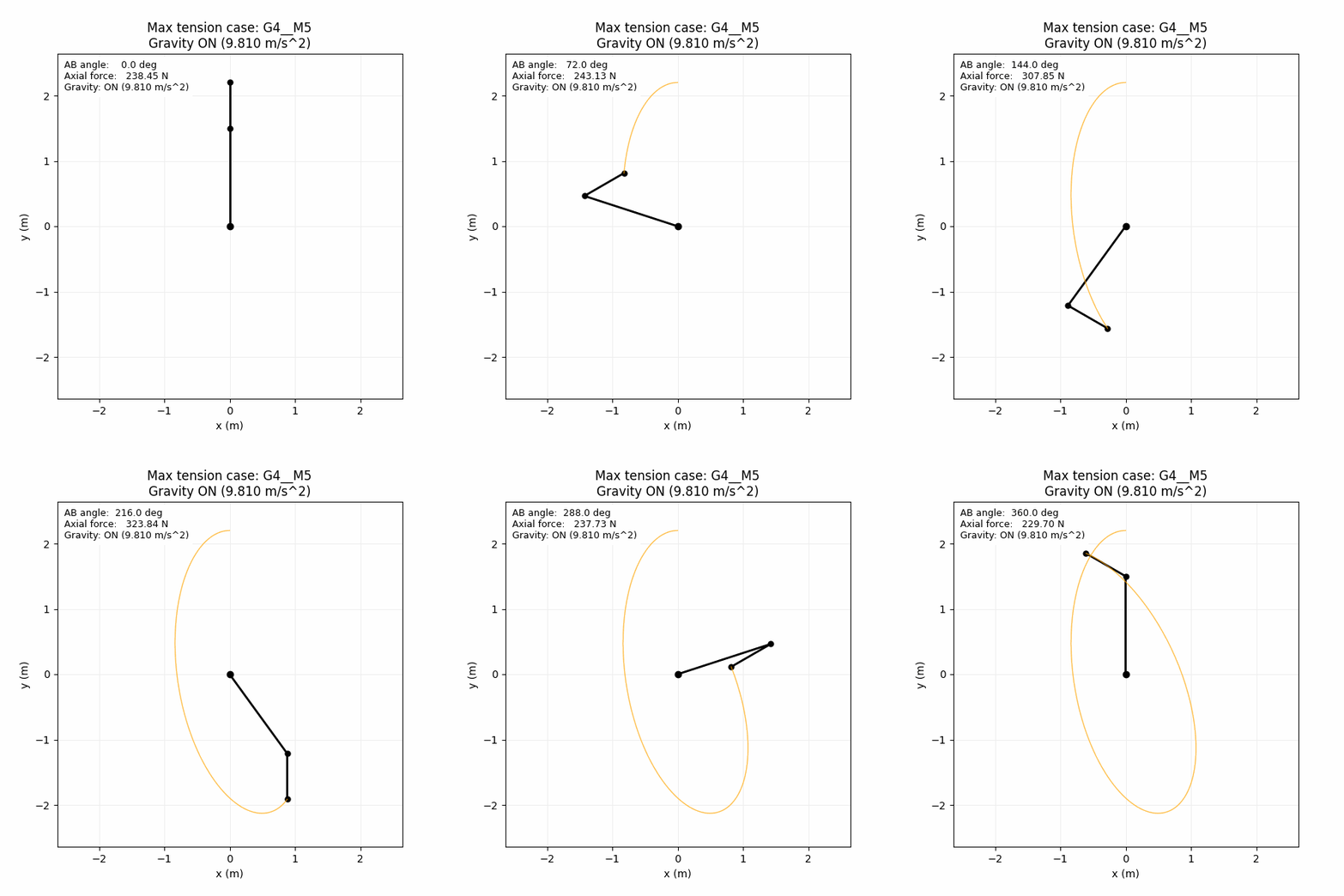
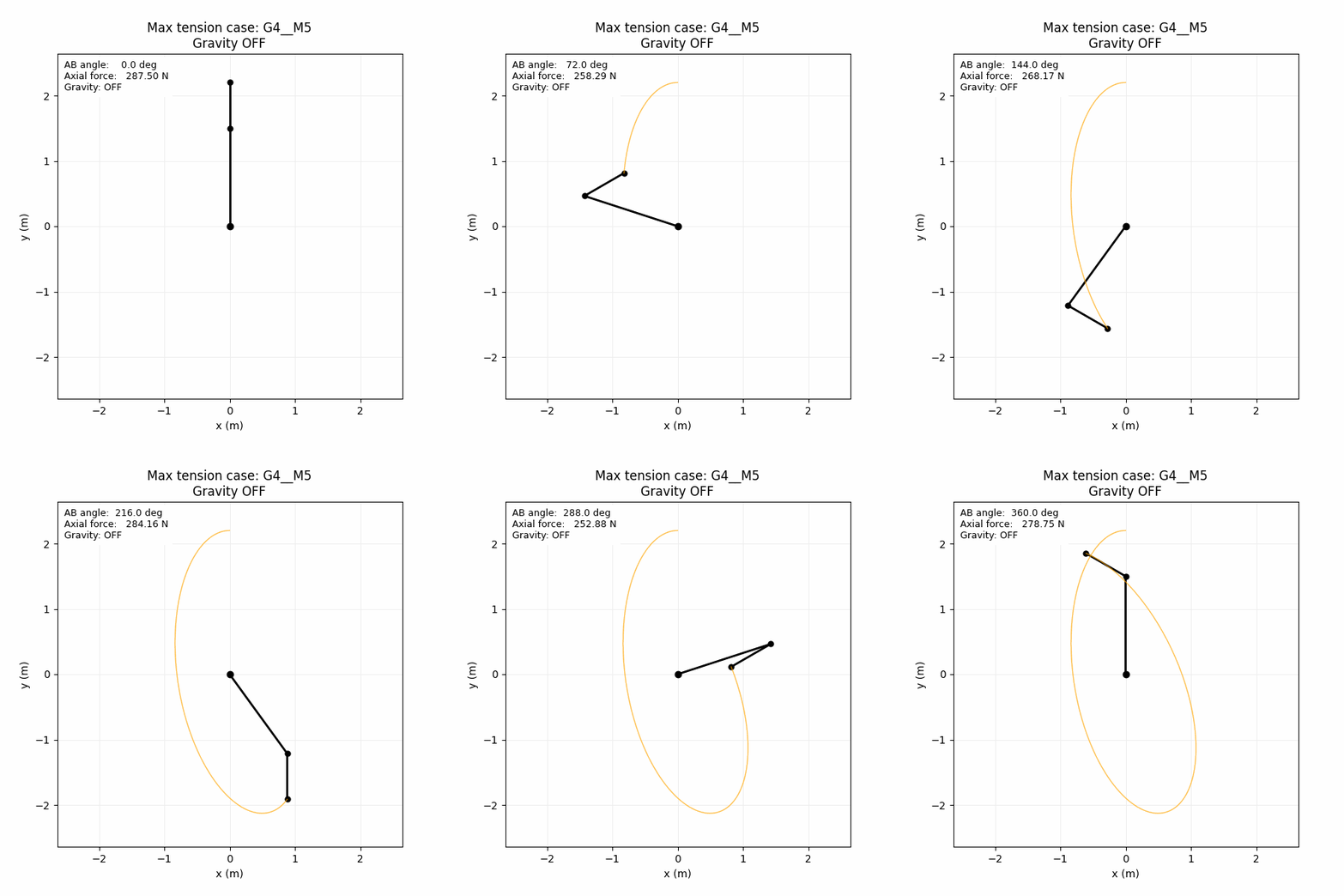
- With gravity ON, the highest tensile case is
G4__M5at about 335.463 N. - With gravity OFF, the same case drops to about 287.500 N.
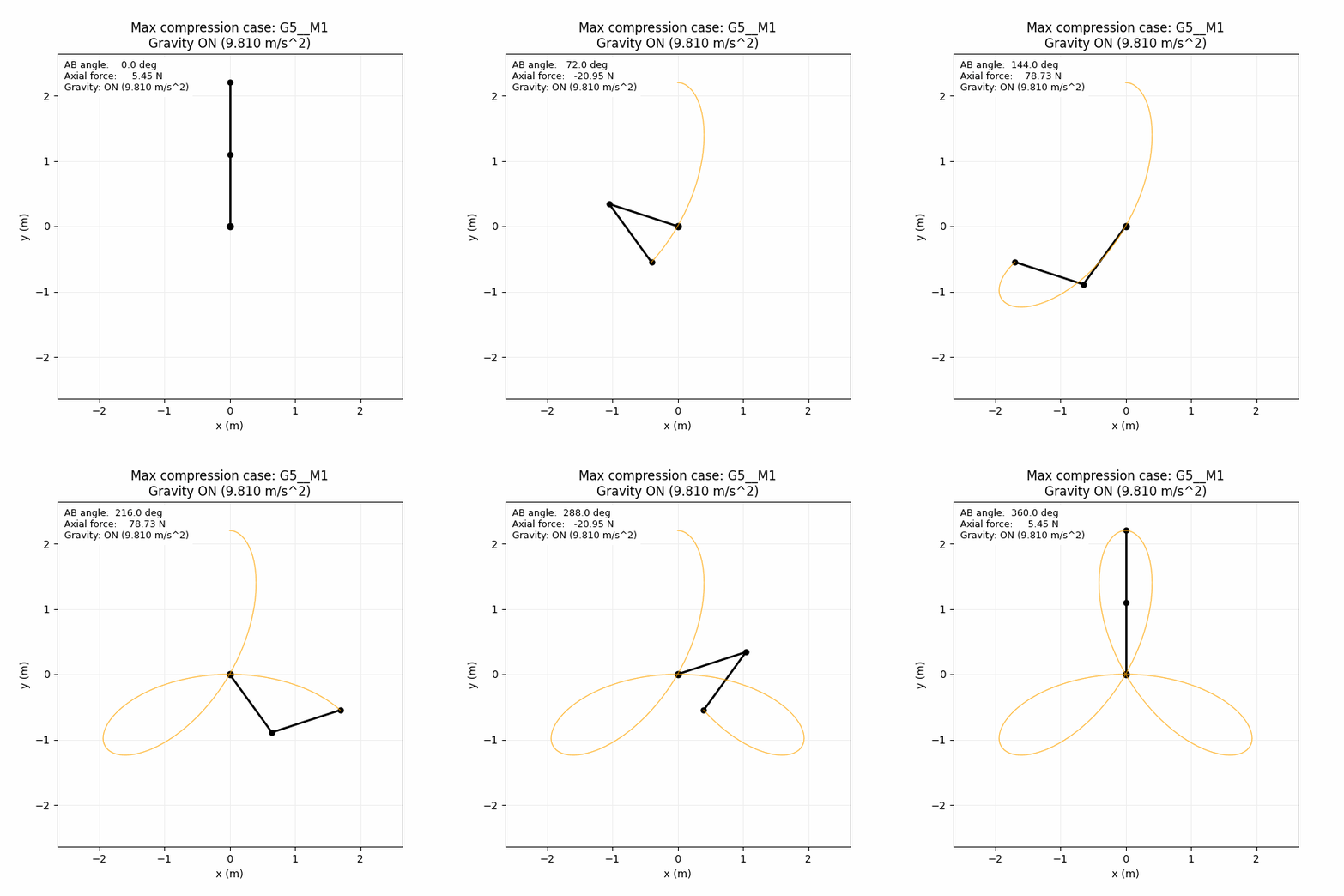
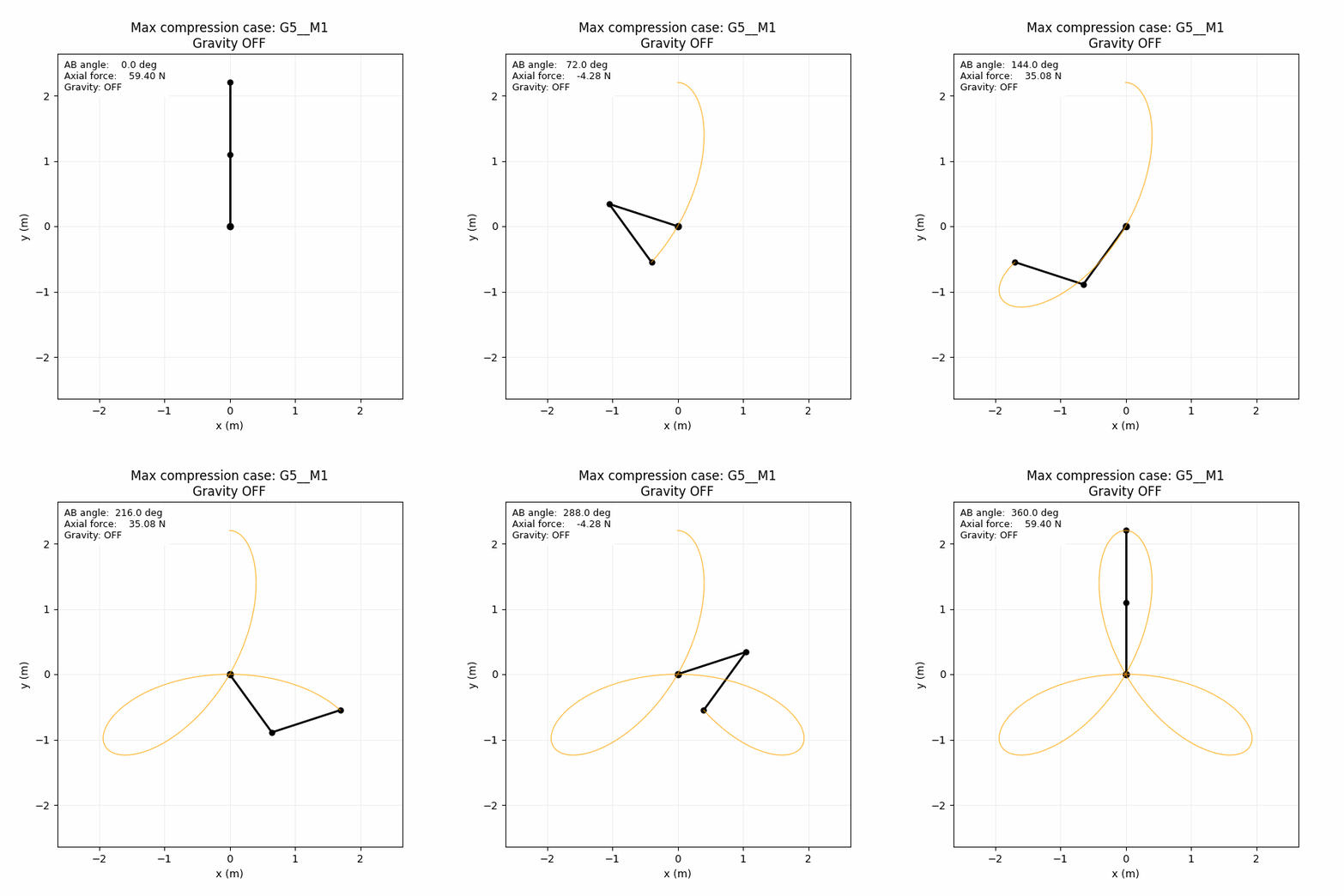
- With gravity ON, the highest compressive case is
G5__M1at about -41.175 N. - With gravity OFF, that case becomes much less compressive at about -11.000 N.
Below are the saved gravity-on and gravity-off animations for those two extreme cases.
Max tension case: G4__M5, gravity ON vs OFF
Max compression case: G5__M1, gravity ON vs OFF
What else is available in the project
The GIFs are only the most visual part of the output. The project also keeps the rest of the results available for inspection: the full set of force-angle plots for all 25 cases, the comparison grid, machine-readable CSV summaries, and short markdown insight reports for both gravity-on and gravity-off runs.
That is really the main idea behind the project: take a mechanics problem that could easily stay as a one-off script, and turn it into a small reproducible analysis tool that makes scenario comparison easy.
The code is available here: Two-LinkForceLab on GitHub.